
Computational thinking
Decomposition, sequences and algorithms.
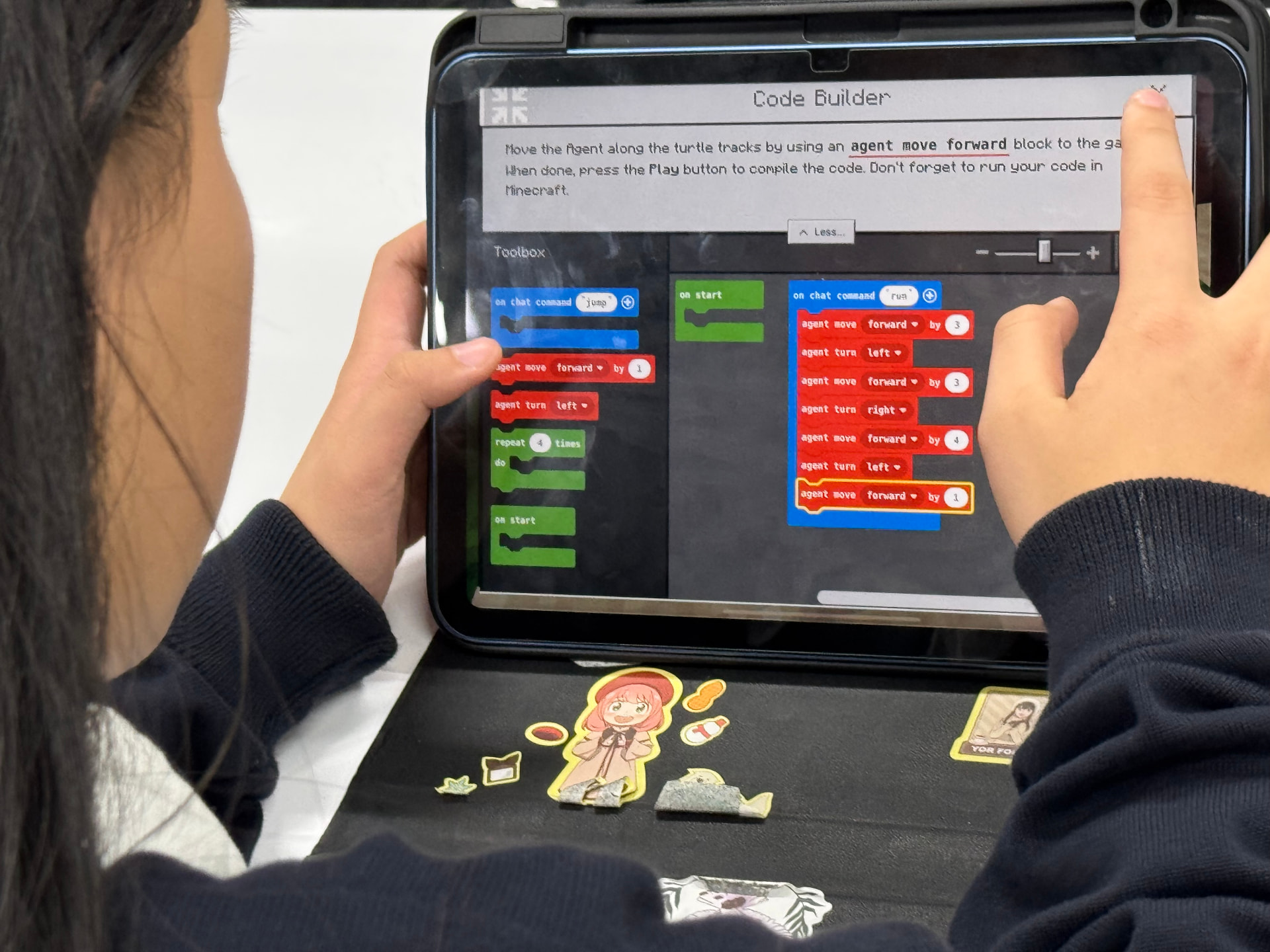
Creative Coding & Game Systems Academy
Students explore coding, computational thinking, game mechanics and structured Minecraft Education challenges through hands-on projects. They learn to design, program, test and improve interactive digital creations.
Program overview
Creative Coding & Game Systems Academy is structured, educational game creation — not recreational gaming. Students investigate how game systems work, how rules shape behaviour and how programming produces interaction.
Through guided, project-based learning they break problems down, design solutions and refine ideas — skills that extend beyond games into real-world problem solving.
What students learn
Decomposition, sequences and algorithms.
Making programs respond to what happens.
Tracking and changing what a system knows.
Rule-based systems that shape behaviour.
Characters, environments, mechanics and objectives.
Using code as a creative storytelling tool.
Rule-based behaviours, decision trees and adaptive responses introduced through creative coding.
Refining work and explaining design decisions.
Learning environment
Minecraft Education is one of the teaching environments we use for purposeful programming, systems and logic challenges. The focus is creation and problem solving, not gameplay. Not every project uses it, and the program is independent of Microsoft and Minecraft.
Learning progression
Coding logic.
Games and interactive systems.
Guided projects.
Debug and refine.
More complex mechanics and related coding when ready.
Project examples
Actual projects vary by term.
Why families choose this program
Eight-session terms, instructor-led. 2027 class days, times and locations are confirmed at enrolment — contact us or start with a Starter Session to find the right class.
$390 per term (8 sessions), including Minecraft Education licence access
Enrol NowThe Forge Learning App supports guided activities, project documentation, resources and reflection between sessions. It works alongside class projects and is separate from Minecraft Education.
Explore the Forge DemoBegin with a friendly, low-pressure Starter Session ($50). It helps your child try the learning and helps us recommend the right pathway.
Book a Starter SessionYour Credential Pathway
This course contributes towards the relevant Academy credential pathway. Students who complete the required learning and demonstrate the assessment standard may become eligible for certification.
Complete the Academy program.
Develop capability through challenges and guided activities.
Complete an applied project or performance.
Complete the relevant practical assessment and/or certification examination.
Earn the relevant Innovate Forge Academy credential when requirements are successfully demonstrated.
Credential opportunity
Assessment
Knowledge Assessment + Applied Programming Task
Demonstrate
Design, build, test and explain a working game or interactive project.
Next step
Advanced Python / Web Development
Explore Certification PathwayWe want every student to participate meaningfully. If your child has additional learning needs, contact us before enrolment so we can discuss the program environment and appropriate support.
We can provide invoices and receipts for self-managed or plan-managed NDIS participants. Email us your NDIS plan type after enrolment.
Students can build from game systems into Python, web development and more advanced programming projects when they are ready. Pathways are matched to experience and interest.
Explore the pathwayThe Creative Coding & Game Systems Academy builds on the established coding and game-development experience of Innovate Technology & Robotics Academy and now forms part of the broader Innovate Forge Academy learning model.
Parent FAQs
No. Beginners are welcome; students with experience extend into more complex mechanics.
No. It is structured, educational game creation focused on coding, logic and systems thinking.
As one teaching environment for purposeful programming and logic challenges. Licence access is included in the term fee.
Sequences, algorithms, variables, events, inputs and outputs, state, conditions, game mechanics and interactive storytelling.
Interactive environments, game systems, logic puzzles, character behaviours and game-design prototypes. Projects vary by term.
Students bring their own suitable laptop.
A maximum of eight students per instructor.
$390 per term for eight sessions, including Minecraft Education licence access — there is no separate licence fee.
2027 class days and locations are confirmed at enrolment.
Yes. A $50 Starter Session helps new families find the right pathway.
Use the Enrol Now button to go to our enrolment portal.
Curriculum-connected
Creative Coding & Game Systems links programming with design: students plan game rules, code interactions and test with players.
Australian Curriculum v9
Victorian Curriculum
International references
These connections show how the program complements school learning. They are not accreditation or endorsement by any curriculum authority, and participation does not replace school assessment. Schools can request a program-level mapping summary.
Enrol for 2027 or explore the full Robotics & Computer Science pathway.